
Using Workouts in icTrainer
Connect icTrainer directly with icPlanner or sync your workouts through Intervals.icu.
Option A: Automatic synchronization via Intervals.icu
With this method, you can automatically sync your icPlanner workouts with icTrainer. The framework corresponds to the Zwift guide and can later be supplemented with the final icTrainer steps.
-
Connect your icPlanner plan with Intervals.icu.
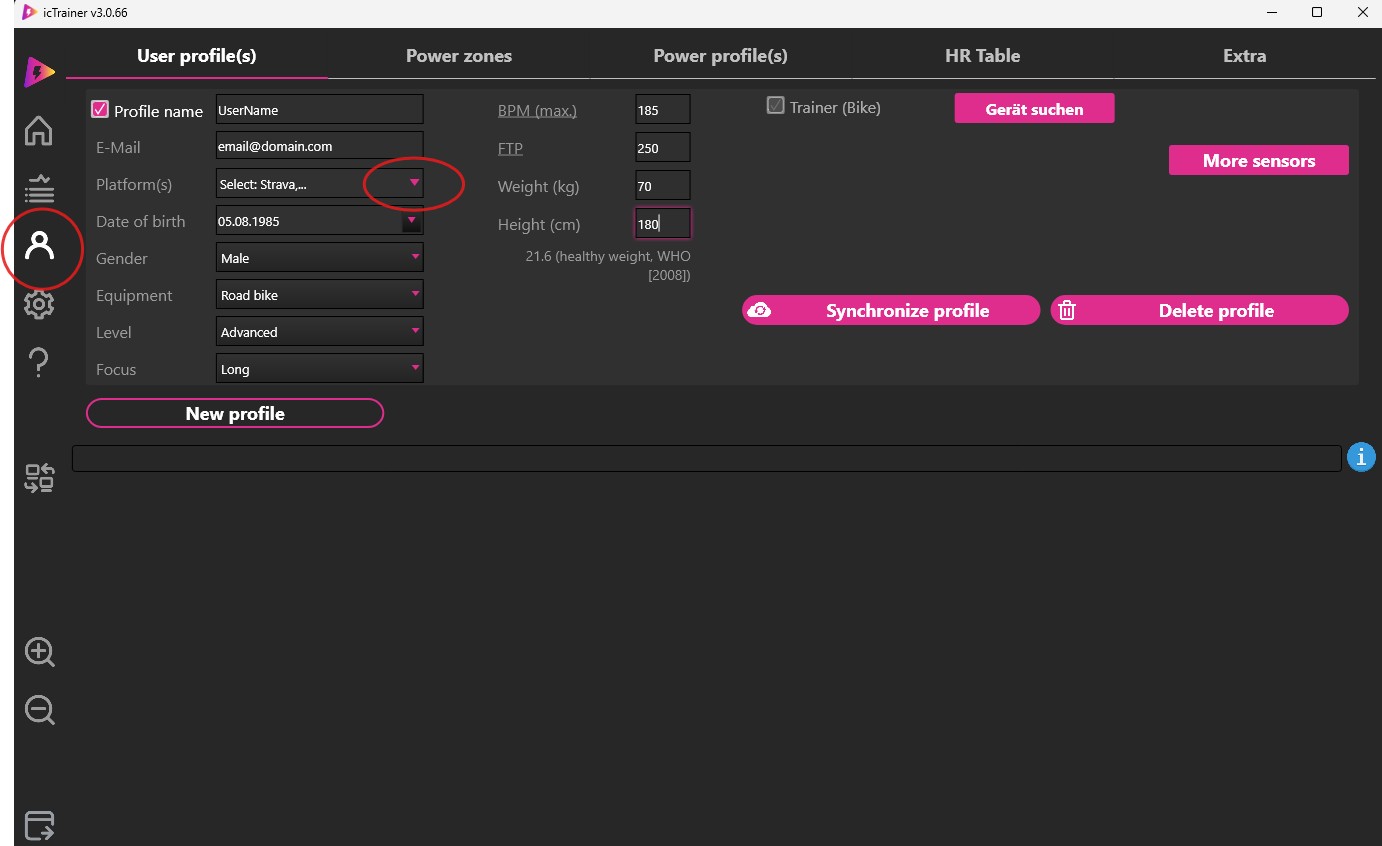
Short description for screenshot 1
-
Then connect Intervals.icu with icTrainer.
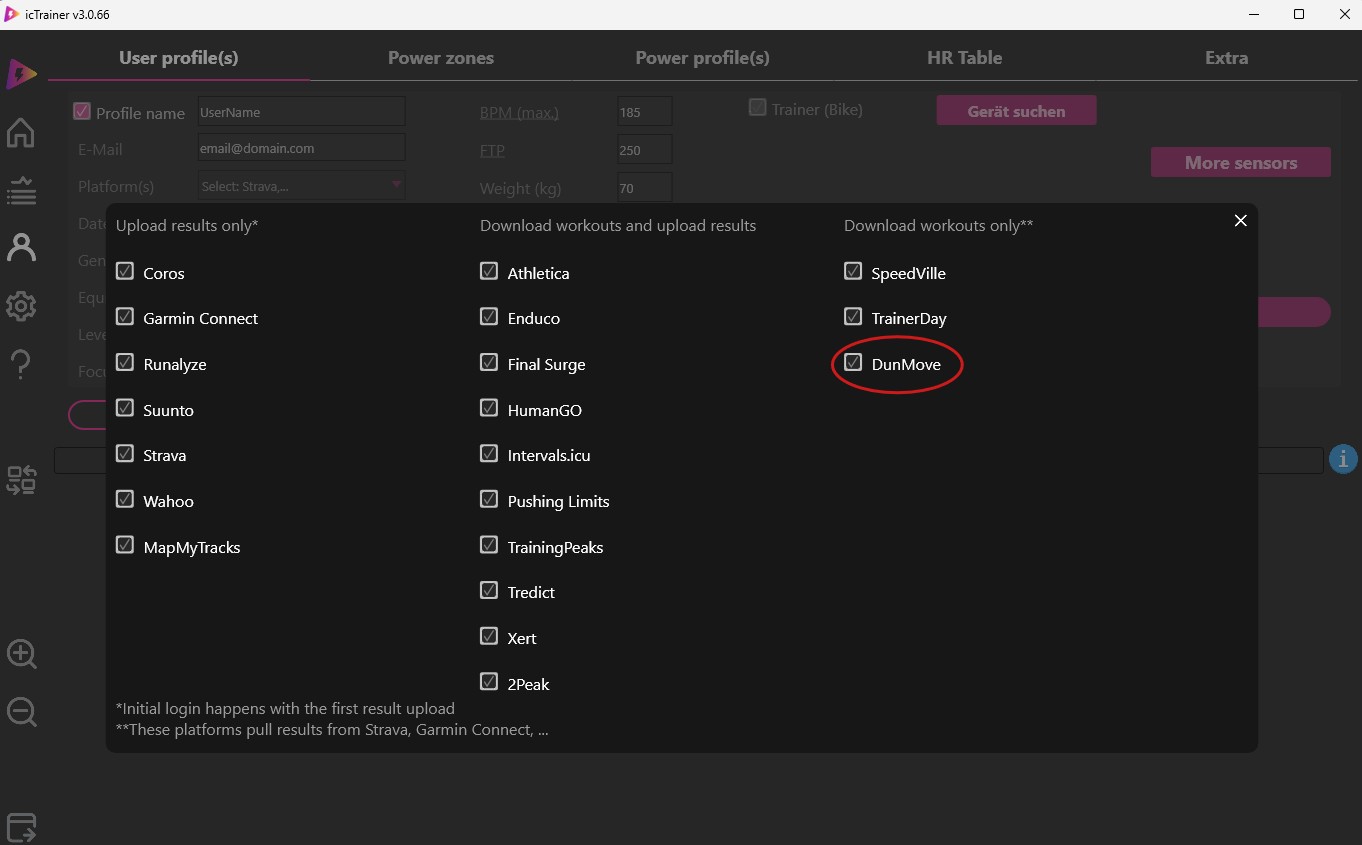
Short description for screenshot 2
-
After icPlanner is selected, close the window.
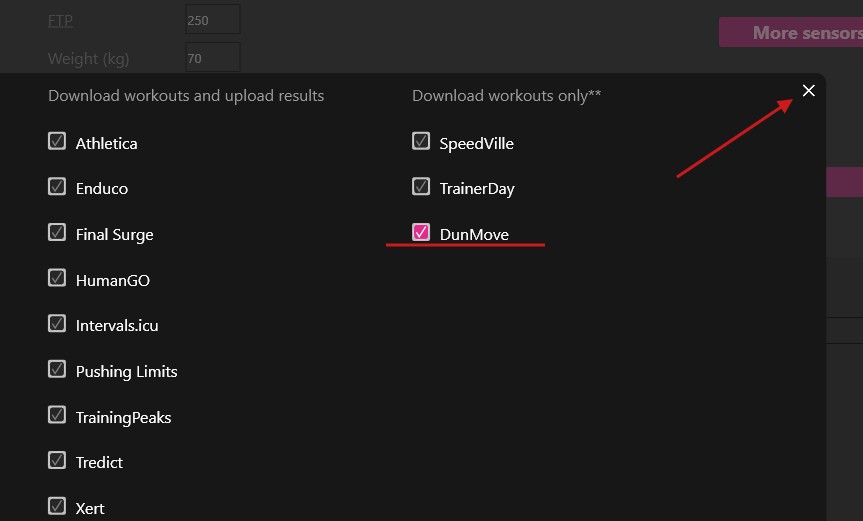
Short description for screenshot 3
-
Step text for screenshot 4
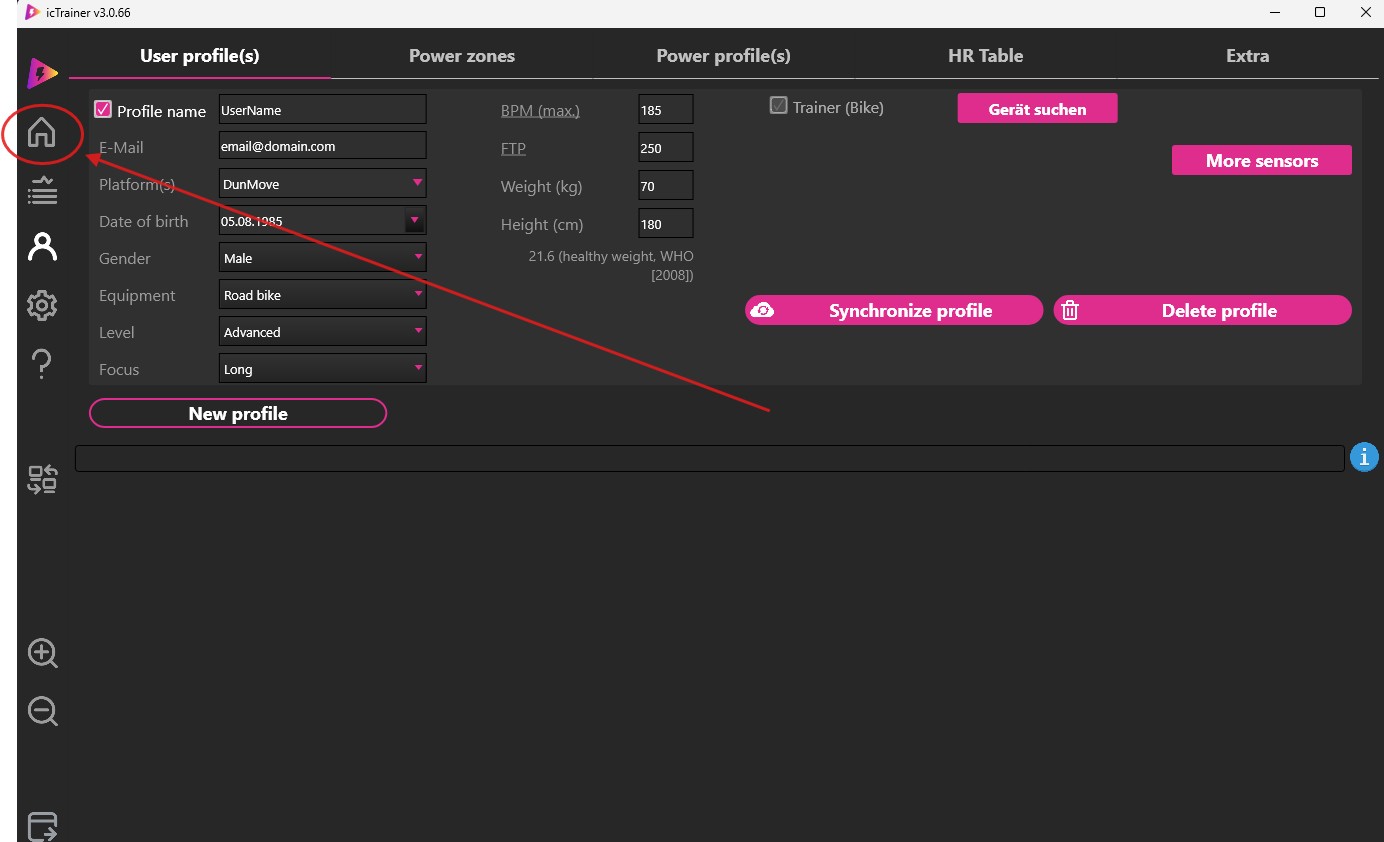
Short description for screenshot 4
Steps 5 to 7 are only necessary if prompted by icTrainer. Depending on your account status, for example, if your email address is already confirmed, they may be skipped. If no prompt appears, go directly to 'Open workouts in icTrainer'.
-
If icTrainer prompts you to connect with icPlanner, confirm the prompt.
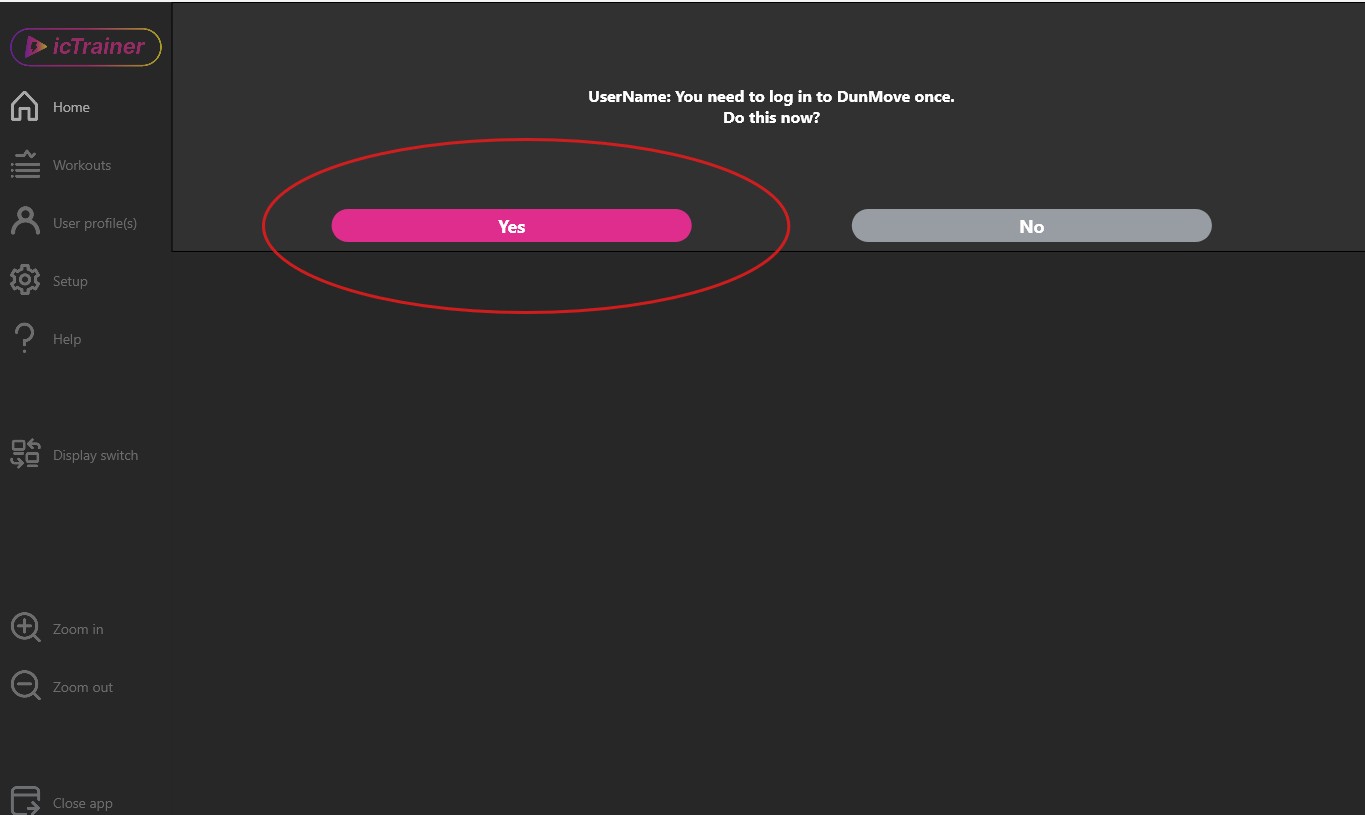
Short description for screenshot 5
-
Enter your icPlanner login credentials if prompted.
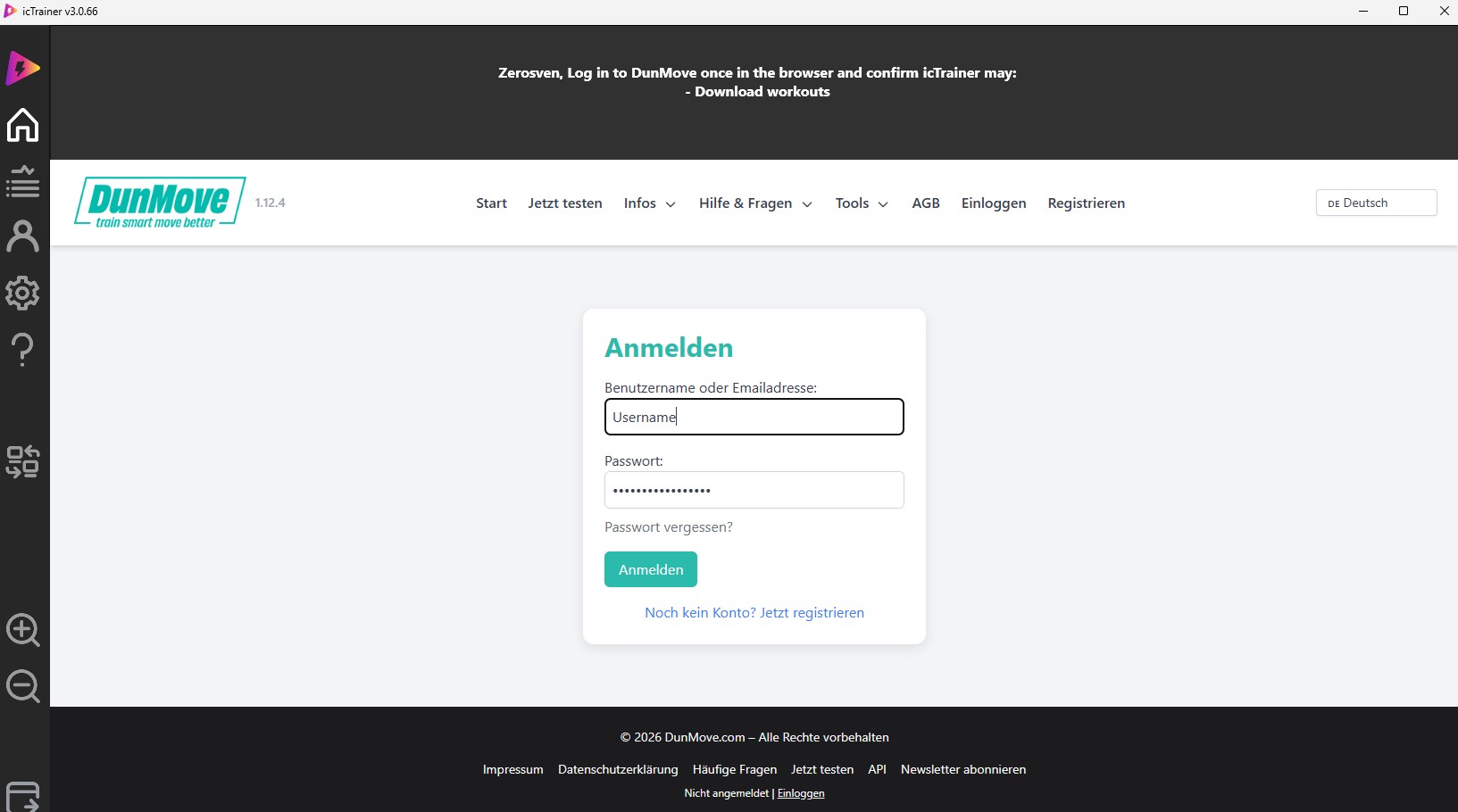
Short description for screenshot 6
-
Grant access if icTrainer prompts you to do so.
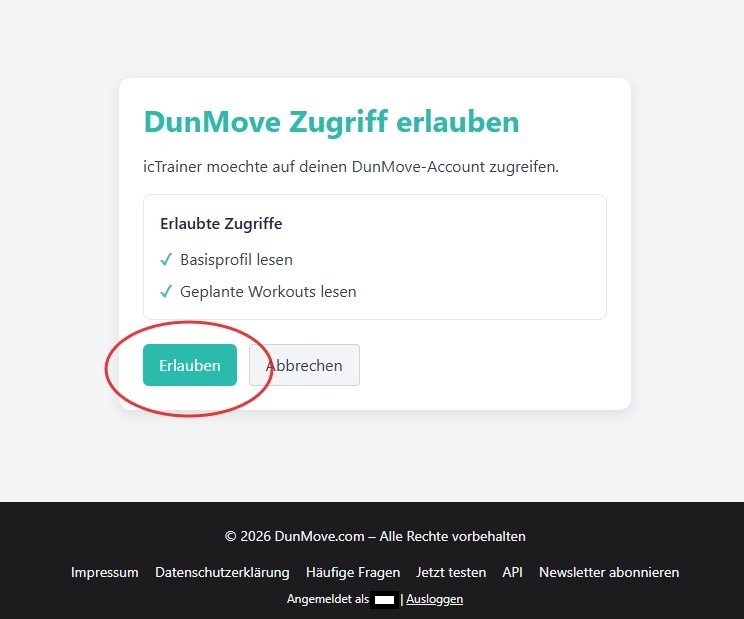
Short description for screenshot 7
Once the connection is established, new or updated workouts should be available in icTrainer without manual file export.
Open Workouts in icTrainer
-
Open the 'Home' in the icTrainer app from the left menu. In the center, you'll find the bar with your active profile. A workout may already be displayed there. Clicking on it will start the workout directly.
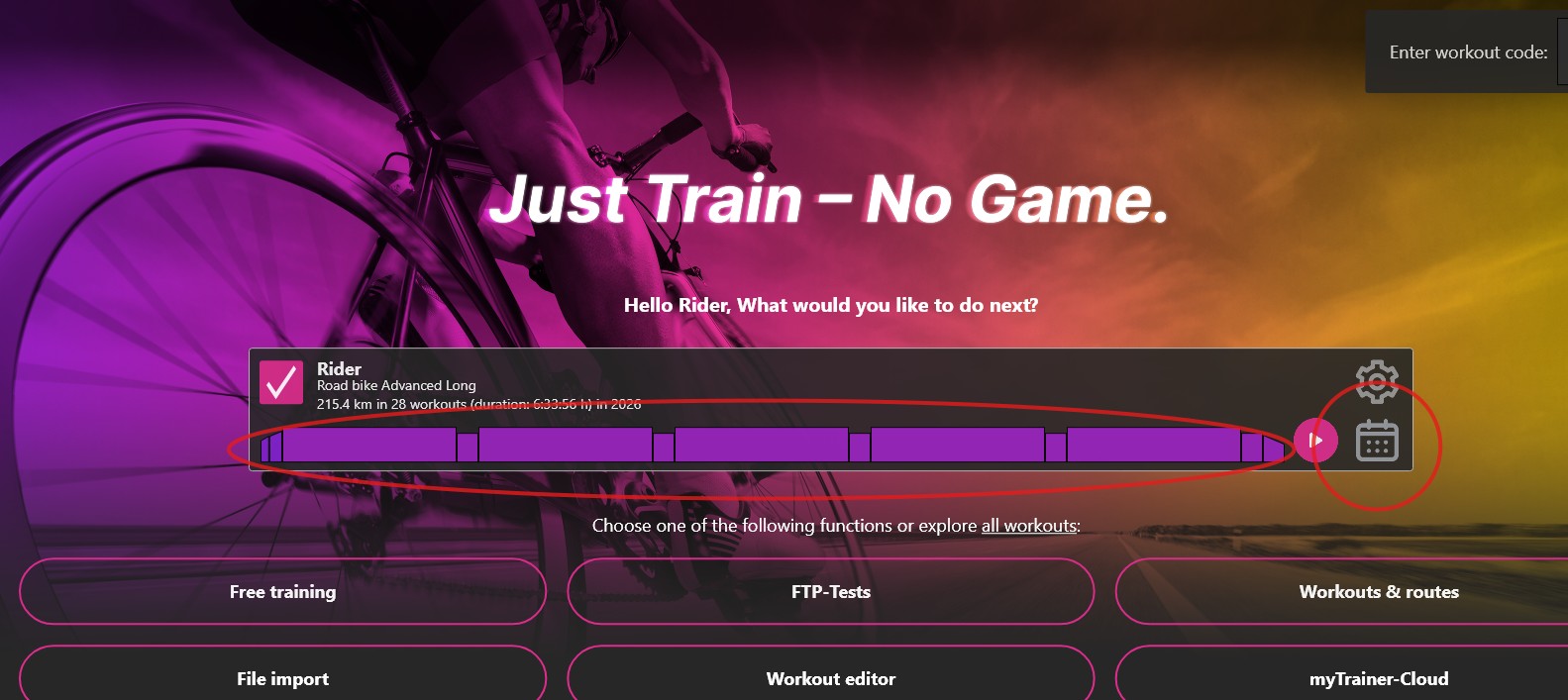
Home screen with active profile and calendar icon
-
You can find the other workouts via the calendar icon.
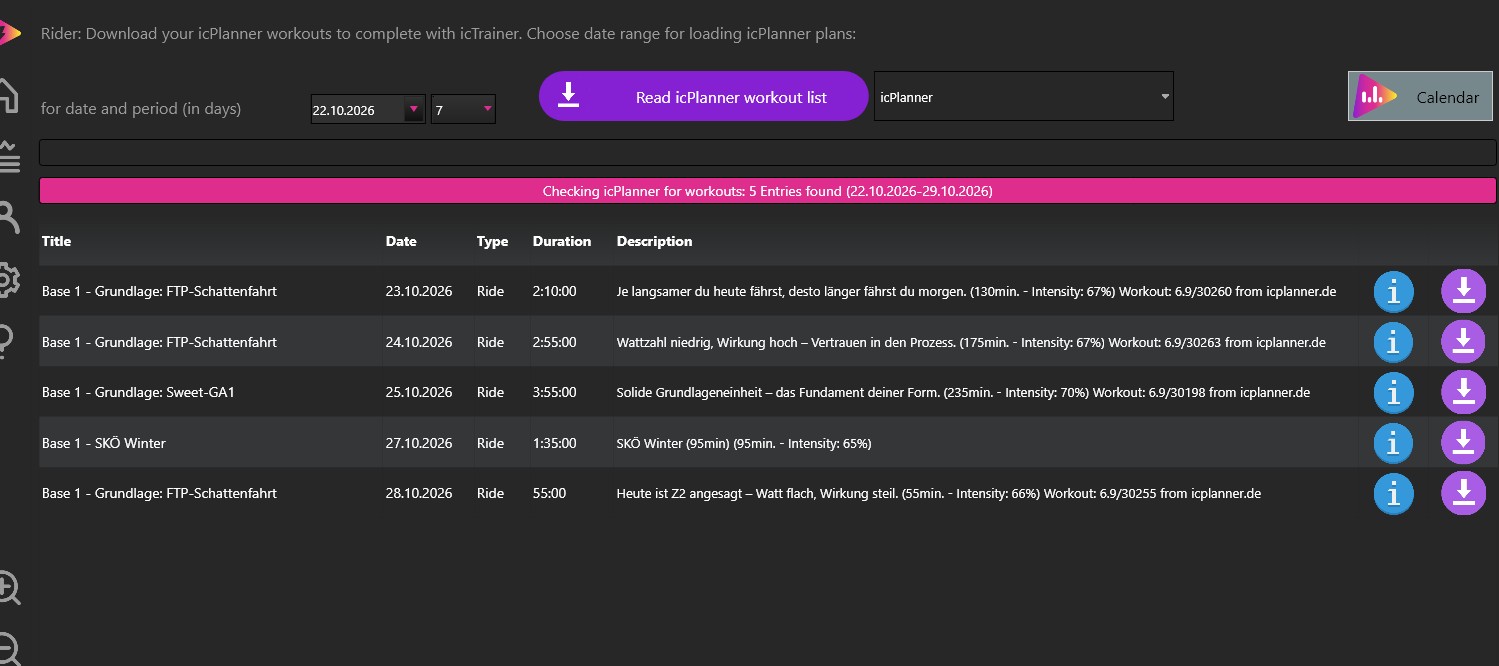
Load workouts from the icPlanner calendar
Option B: Manual import of workout files
If you want to use your workouts manually with icTrainer, you can download the exported workout files from your calendar and import them into icTrainer.
- Download a single workout from your training calendar or export multiple workouts at once.
- Open the area in icTrainer for importing your own workouts.
- Select the exported workout file and import it.
- After the import, check if the workout appears in your library or planning.
We will specifically enhance the final file formats, screenshots, and detailed instructions here for icTrainer.